
Retrocase #1
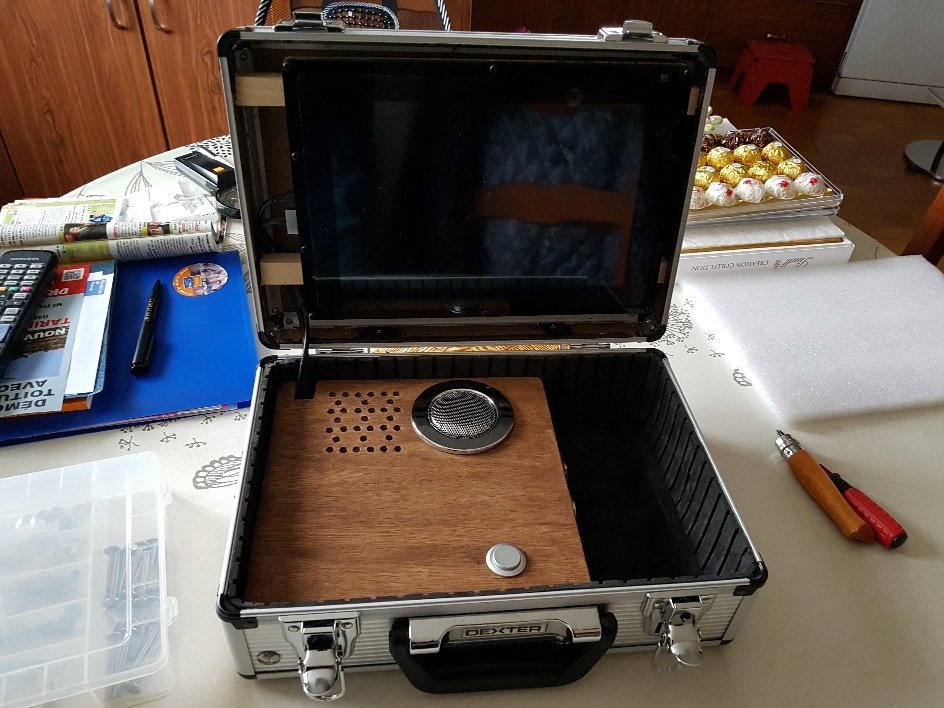
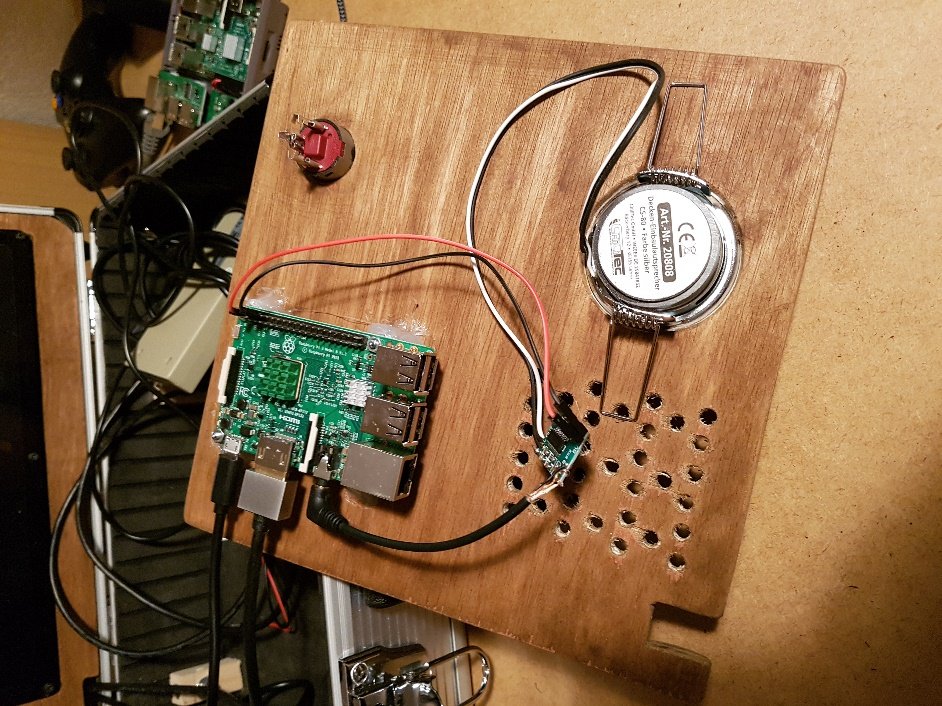
Console de retrogaming portable dans une mallette avec un écran 10’’ sur base de Raspberry Pi3 et de distribution Recalbox.
Materiel
Désignation | Caractéristiques | Boutique | Qté | Prix (€) |
Ecran HDMI 10’’ | Waveshare IPS 1280*800 10.1inch HDMI LCD B with case | Amazon | 1 | 126 |
Haut-parleur 3W | Haut-parleur Métal 3 W Ø 80 mm – Ø 60 mm | Amazon | 1 | 10 |
Interrupteur 220v | 1 | |||
Bouton poussoir | ungfu Cool 2 12 V 22 mm LED avec interrupteur on/off Puissance Bleu | Amazon | 1 | 8.20 |
Led | Led verte | Amazon | 1 | 4 |
Raspberry pi3 | Carte Mère 3 Model B Quad Core CPU 1.2 GHz 1 Go RAM | Amazon | 1 | 40 |
Cle USb 64go | MicroSDHC SanDisk Ultra 32 Go jusqu’à 48 Mo/s, Classe 10 | Amazon | 1 | 16 |
Carte micro SD 32go | SanDisk Cruzer Fit SDCZ33-032G-B35 USB Flash Drive, 32 Go | Amazon | 1 | 12 |
Malette Dexter | Leroy Merlin | 1 | 26 | |
Kit refroidissement | Aukru kit de refroidissement Dissipateur thermique en Aluminium + Ventilateur Brushless DC Fan | Amazon | 1 | 7 |
Chargeur USB | Secteur 3 Ports Universel Secteur Mural RAVPower (30W / 5V 6A total) | Amazon | 1 | 12 |
Cable HDMI | Alida Systems & reg; 0,5m Câble HDMI plaqué or Super Slim, avec chaîne de retour 3D, Ethernet et audio | Amazon | 1 | 9.50 |
Ampli Audio | SKYNET – PAM8403 – Mini Amplificateur Audio – 2 * 3 W classe D | Amazon | 1 | 3 |
Rallonge USB | Câble USB haute vitesse de 0,5m – qualité premium (fil de cuivre de 100%) – A mâle à mâle B – haute vitesse 2,0 – 480Mbps | Amazon | 2 | 5 |
Adaptateur USB | Neutrik NAUSB-W Adaptateur USB mâle/femelle A-B réversible Logement nickel en D | Amazon | 2 | 4 |
Photos
Logiciel
Distribution Recalbox 4.1.
Modification du fichier config.txt dans /boot pour adapter la résolution de l’écran :
# uncomment if you get no picture on HDMI for a default « safe » mode
#hdmi_safe=1
#disable_overscan=1
# uncomment to force a specific HDMI mode (this will force VGA)
#hdmi_group=1
#hdmi_mode=1
# comment to get jack audio
#hdmi_drive=2
# Using /etc/modules is deprecated and no longer supported on 4.4 kernel So manually enable audio
dtparam=audio=on
config_hdmi_boost=0
# force hdmi while the tv can take time before sending the signal on the hdmi output
hdmi_force_hotplug=1
# uncomment for composite PAL
#sdtv_mode=2
# uncomment for lirc-rpi
#dtoverlay=lirc-rpi
# if you plug your tv at the same time as your rpi and that the rpi switches from the hdmi or give a low resolution because tv had no enough time to initialize it
boot_delay=3
# uncomment if you don’t want the rainbow at startup
disable_splash=1
# default CEC name
cec_osd_name=recalbox
# Overclock
gpu_mem_256=128
gpu_mem_512=256
gpu_mem_1024=512
avoid_safe_mode=1
kernel=zImage
max_usb_current=1
hdmi_group=2
Réglage pour l’écran hdmi 1280*800
hdmi_drive=1
hdmi_mode=87
hdmi_cvt 1280 800 60 6 0 0 0
#disable_overscan=0
#overscan_left=24
#overscan_right=24
#overscan_top=24
#overscan_bottom=24
arm_freq=1350
Dans le fichier recalbox.conf, il faut mettre : global.videomode=default